A consistent interface
Unit frames, nameplates, castbars, cooldowns, action-bar styling, chat, and minimap options.
Free · Self-contained · PvP first
A clean, consistent interface for the fight—and the games between. Built by Stinkie for Arena, Solo Shuffle, and Blitz.
Featured release: v0.31.0 · Get the latest compatible file on CurseForge.
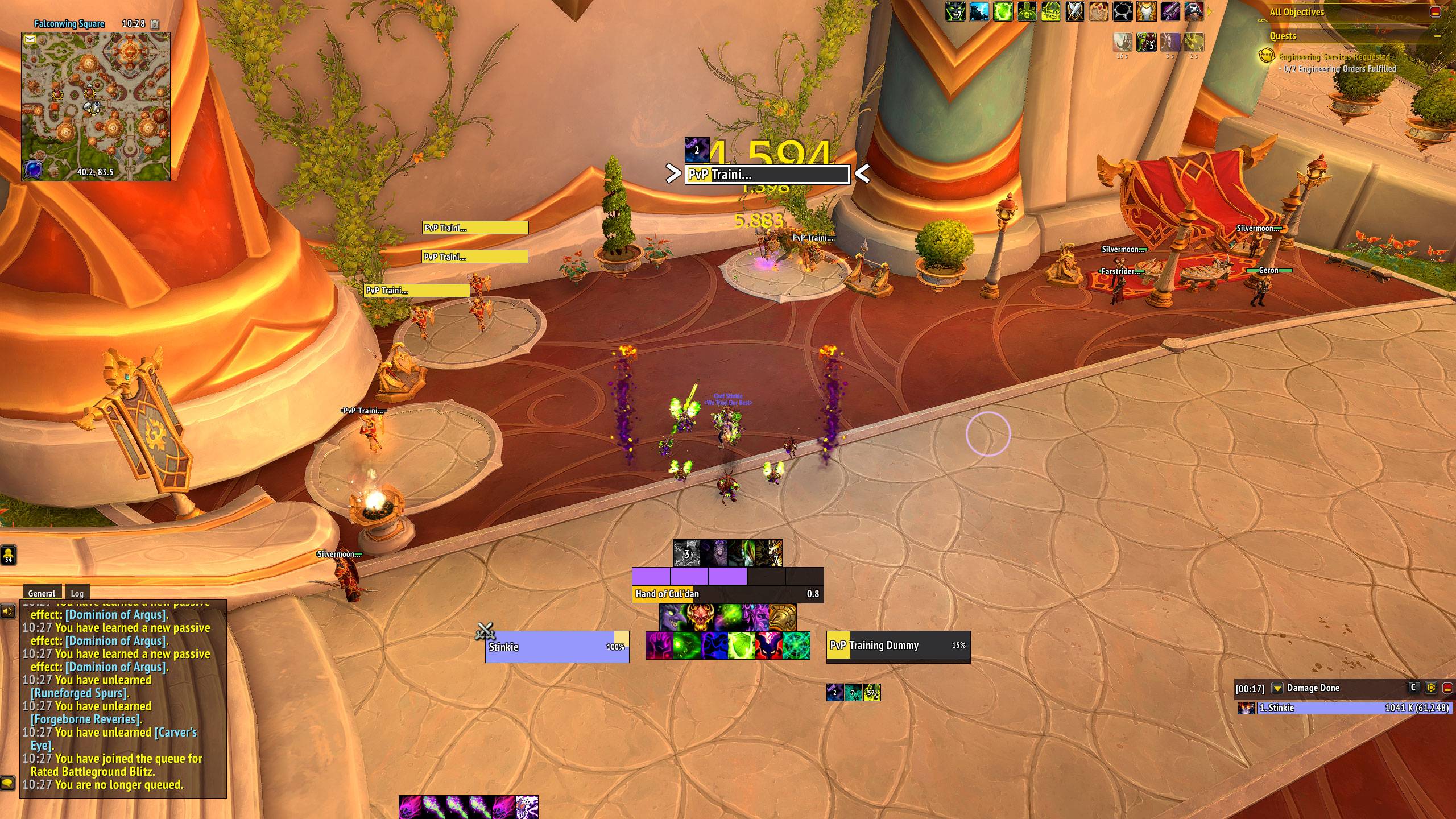
Unit frames, nameplates, castbars, cooldowns, action-bar styling, chat, and minimap options.
Party, arena, and battleground frames, plus Arena Assist for crowd control and interrupts.
Match history, rating trends, and stats help you look back between queues.
Get set up
Start with the defaults, then make the layout yours. No separate library addons required.
All releases & changelogsFind Stinkie UI by SmellyStinkie in CurseForge, or download the ZIP from the project page. Select the file compatible with your game client.
Installing manually? Place the StinkieUI folder inside your game's Interface/AddOns/ folder. The .toc file should be directly inside StinkieUI.
Enable the addon on the character-selection screen, enter the game, then use this chat command:
/stinkieUnlock the layout to move frames. Use the built-in test modes to see party, arena, and battleground elements outside a match.
/stinkie unlockSave your positions before you queue. Profiles can be copied between characters or exported from the options window.
/stinkie lockA few useful answers
No. Stinkie UI is a PvP interface addon, rather than a Warlock-only setup. Available resource displays and class-specific elements vary; check the project page for current support.
Some overlapping features automatically turn off when another addon handles them—for example, arena frames with sArena or Gladius, and action-bar styling with Bartender, Dominos, or ElvUI. Start with a simple setup and check for overlapping frames before your first match.
WoW restricts what addons can access in PvP. Information such as enemy health outside your view and teammates' cooldowns may be unavailable. See the project description for the current limitations.
Check the CurseForge file list for a release marked for your client. Arena-specific features do not apply where the game mode is unavailable.
Join the Stinkie Discord and post in #stinkie-ui. Include your game client, addon version, what happened, and a screenshot or error message if available.
Get the addon. Make the layout yours. See you in game.